
Finance
Included with every account
Invoices, payments and a ledger that balances itself.
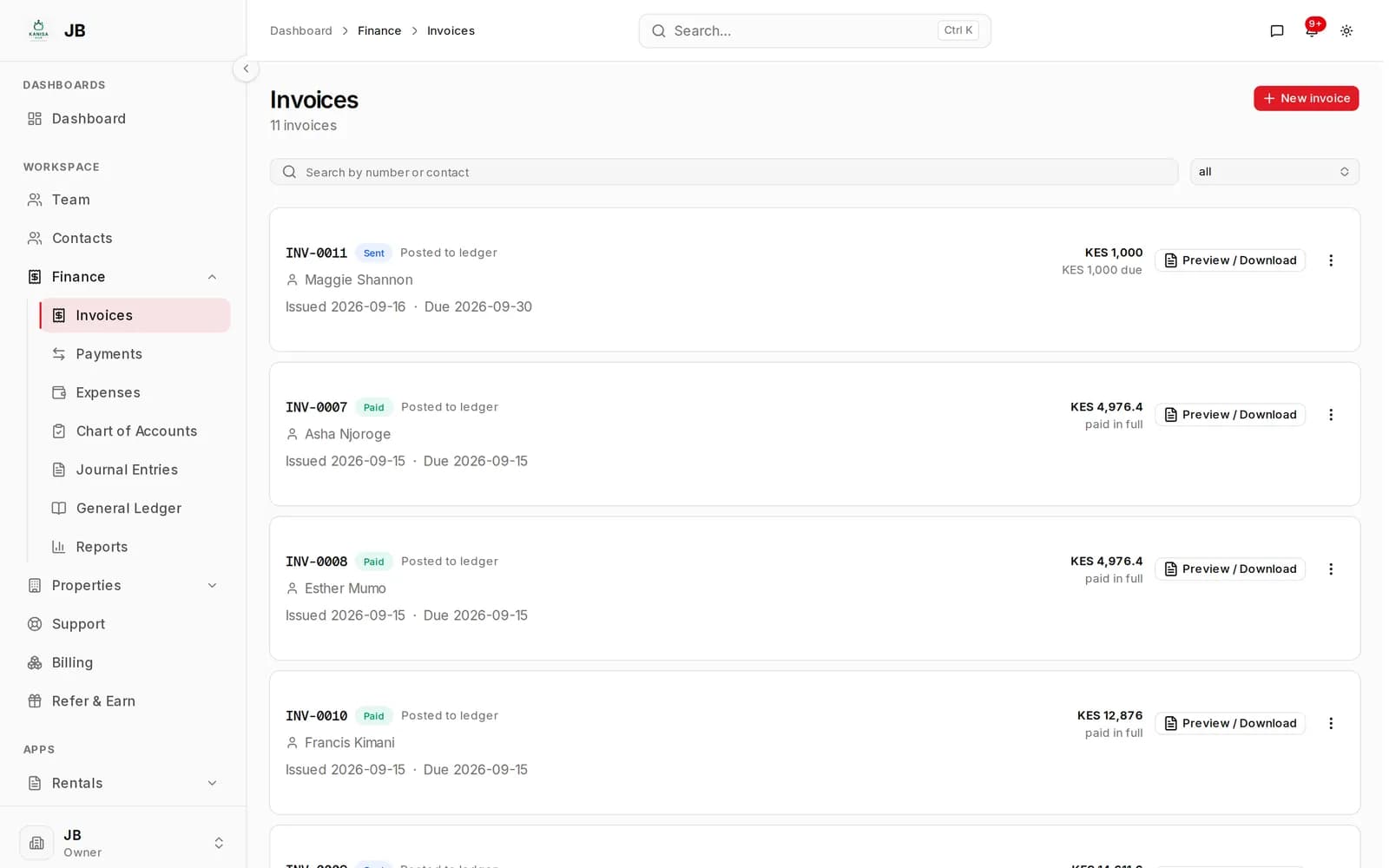
Every invoice you send and every payment you record posts to a double-entry ledger as it happens. You get the paperwork a tenant expects and the accounts an accountant will accept, out of the same action.
- Invoices a tenant can actually read
- Payments recorded against what they settle
- A general ledger your accountant will accept
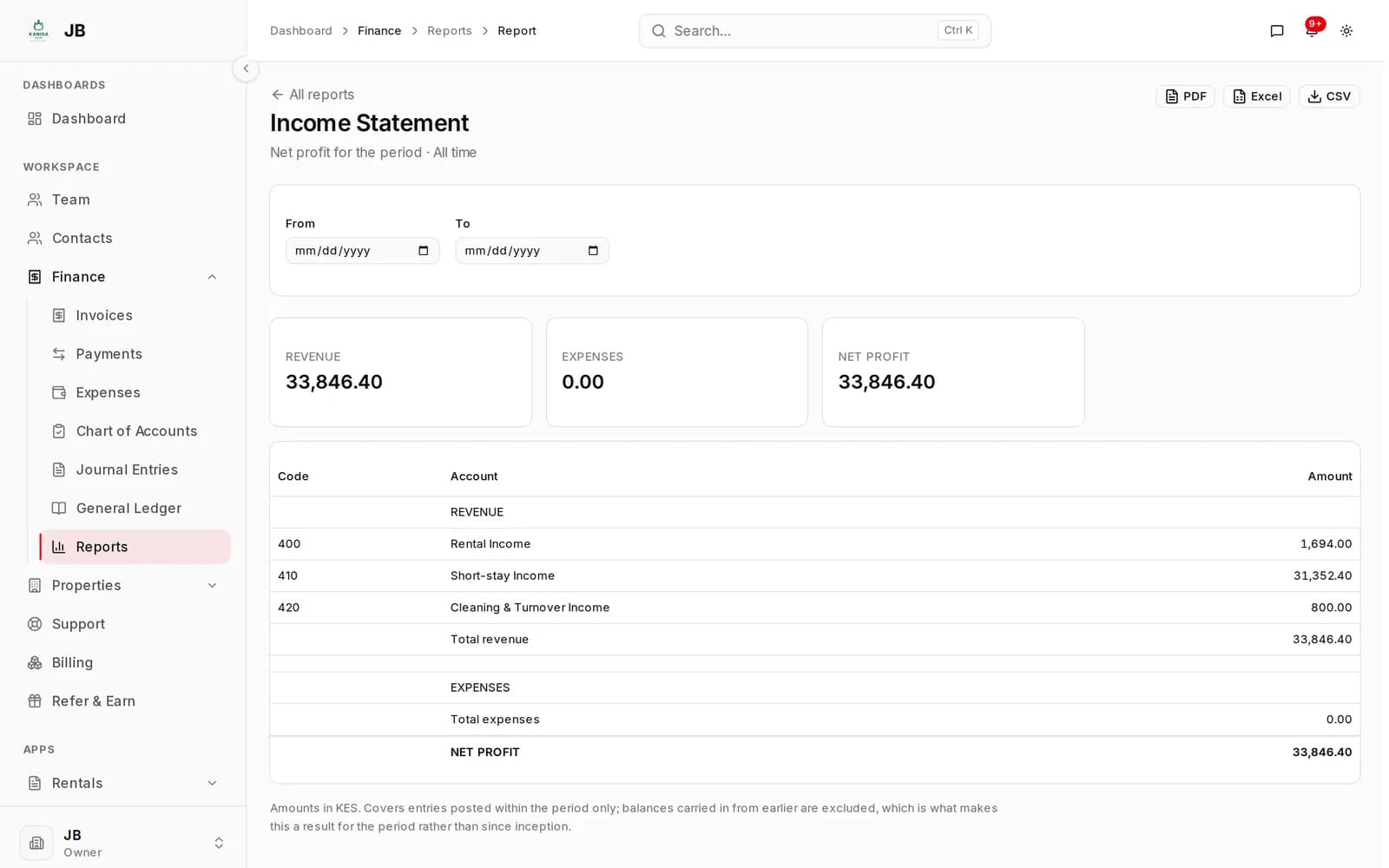
- Financial reports as PDF, Excel or CSV
How it works
One action, two outcomes: the document the tenant sees and the entry the books need. You only ever do the first.
- 01
Raise the invoice
Against a contact, and optionally against the unit it concerns. Rent runs from Rentals arrive here the same way anything you type does.
- 02
Send it
The invoice renders to a PDF a tenant can open, save and take to a bank. Marking it sent is what starts it counting as owed.
- 03
Record the payment
Payments settle a named invoice rather than floating against an account, so what is outstanding is always the arithmetic and never an opinion.
- 04
Read the ledger
The general ledger is account-first, with a running balance down the page and the normal side of each account respected. It is the screen you hand over at year end.
- 05
Run the reports
Income statement, balance sheet, trial balance, cash flow, aged receivables, profit by property and more, each downloadable as PDF, Excel or CSV.
Works with
Built into the rest of your account
Finance is a core module, so it is on every plan and works with everything else from the first day.
Rentals
Monthly rent runs raise their invoices here, which keeps the two apart — Finance does not need to know what a lease is.
Contacts
An invoice is addressed to a contact, so the same record carries the tenancy and the money.
Properties & Units
An invoice can name the unit it concerns, so spending and income can be read per property.
Questions
Before you ask
Is Finance something I add on?
No. Finance is a core module, not an app. It is part of every account from the day you sign up, along with properties, contacts, photographs and areas, on every plan including the free one.
Do I have to understand double-entry bookkeeping?
No. Sending an invoice and recording a payment post themselves to sensible default accounts, which are set up for you when the account is created. The ledger is there when somebody asks for it, not something you have to drive.
What if I get an entry wrong?
Fix it and the ledger is updated to match. Deleting something already posted adds a reversing entry rather than erasing it, so the books still add up and the correction is visible.
Can a tenant get a receipt or an invoice as a file?
Yes. Invoices render to PDF, so they can be emailed, printed or forwarded.
Does it handle expenses as well as income?
Yes. Expenses post to the same ledger, so a property's costs and its rent are read off one set of accounts rather than two spreadsheets.
Apps
Apps that build on Finance
Finance is included on every plan
Create an account and it is there from the first screen. There is nothing to install.